07
November
2026
Friends of the Oil City Library Book Sale Room
Oil City Library
2 Central Ave., Oil City, PA 16301
07
November
2026
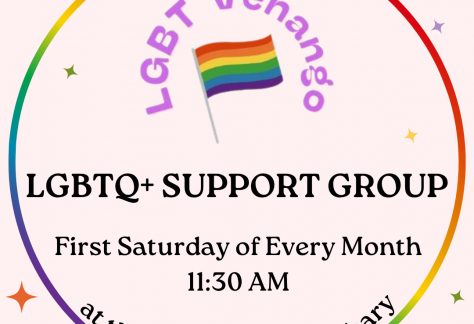
LGBTQ+ Venango Support Group
Franklin Public Library
421 12th St., Franklin, PA 16323

09
November
2026
Bouncing Babies
Oil City Library
2 Central Ave., Oil City, PA 16301
10
November
2026
Bouncing Babies
Franklin Public Library
421 12th St., Franklin, PA 16323

10
November
2026
Friends of the Franklin Public Library Book Sale
Franklin Public Library
421 12th St., Franklin, PA 16323

10
November
2026
The Bookmarkers Book Club
Franklin Public Library
421 12th St., Franklin, PA 16323

10
November
2026
GED Classes
Franklin Public Library
421 12th St., Franklin, PA 16323

10
November
2026
Anime Club
Franklin Public Library
421 12th St., Franklin, PA 16323

10
November
2026
Teen Reading Lounge
Franklin Public Library
421 12th St., Franklin, PA 16323

10
November
2026
Friends of the Franklin Public Library Meeting
Franklin Public Library
421 12th St., Franklin, PA 16323
11
November
2026
Storytime
Franklin Public Library
421 12th St., Franklin, PA 16323
11
November
2026
GED Classes
Franklin Public Library
421 12th St., Franklin, PA 16323

Join a book club this month! ✨📚 Looking for your next great read? Join one of our library book clubs and dive into engaging discussions with fellow book lovers! Here’s what’s on the list for December:📖 Oil City Library Book Club📍 Oil City Library📅 First Thursday @ 10:30 AM📚 Between the Lines by Jodi Picoult & Samantha Van Leer📖 The Bookmarkers Book Club📍 Franklin Public Library📅 Second Tuesday @ 12:00 PM📚 Hello Beautiful by Ann Napolitano (Also Available by Libby!) OR📚 Patient Zero by Lydia Kang, MD & Nate Pederson Pick One to Read!📖 Thursday Evening Book Club📍 Franklin Public Library📅 Third Thursday @ 5:00 PM📚 The Last Noel by Michael Malone📢 New members are always welcome! Grab a copy, mark your calendar, and join the conversation.
Adult Craft Club is BACK for Fall! 🍁🍂 We can't wait to see you for more crafting fun! This November, we will be making Tic Tac Toe To-Go. Adult Craft Club is free to attend & all materials will be provided. Sessions will continue to be offered at both the Oil City Library and the Franklin Public Library.✨ Monday, November 16 | 5PM - Oil City Library🖌 Wednesday, November 18 | 5PM - Oil City Library🎨 Wednesday, November 25 | 4PM - Franklin Public LibraryRegistration is required. Visit or call the Franklin Public Library (814-432-5062) or the Oil City Library (814-678-3072) to register today!
Our #LibbyTipOfTheMonth is Disabling AI Content! 🚫🤖New filters have rolled out to help users avoid generative AI content in the Libby app! Here’s how to do it:- Click the Libby Icon at the center of the app’s bottom navigation menu. This will take you to your main account hub. Scroll below Your Libraries to find Settings. Then, click on Content Controls.- On this page, you should see a new AI Contributions menu, with a little robot emoji on the right-hand side. Click this, & you’ll see a series of filters. With this update, you can filter what will show up in Libby searches, with 3 distinct options for each area: All Authors, Human Authors Involved, & Human Authors Only.- If you want to avoid all AI-generated content, click Human Authors Only for all categories.Once you’ve done this, you should only be seeing fully human-created books in your Libby app. Yay, humans!Start using Libby today with your library card at libbyapp.com